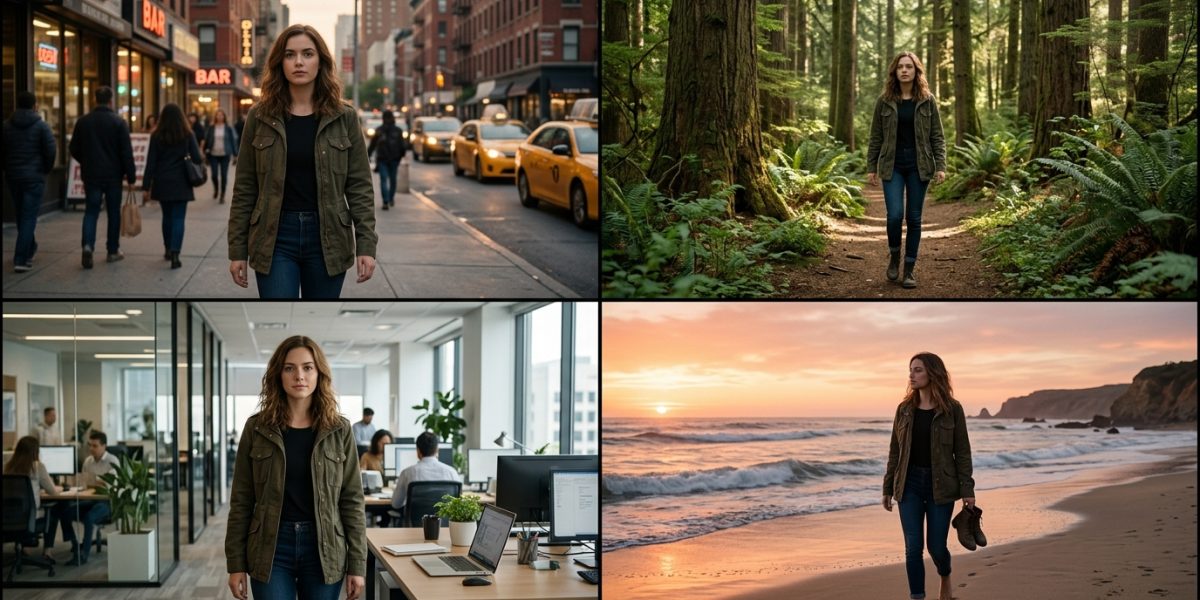
Character consistency is the hardest problem in AI-generated storytelling. Generate 10 scenes with ‘the same character’ and you’ll get 10 different people. Solving this is what separates amateur AI content from professional-grade visual storytelling — and it’s now possible with techniques that didn’t exist 18 months ago.
Why AI Struggles With Character Consistency
Standard text-to-image models generate each image independently. They have no memory of previous outputs. ‘A 35-year-old woman with dark curly hair and a red jacket’ will produce a different person each generation because the model interprets the description with statistical variation every time.
The solution is not better text descriptions — it’s using reference images. Once you establish a character visually, you use that visual as an anchor for all subsequent generations.
| Tool | Character Consistency Method | Quality Score |
| Midjourney v6+ | –cref [image URL] parameter | 9/10 |
| Stable Diffusion | IP-Adapter + LoRA fine-tuning | 8.5/10 |
| Leonardo AI | Character reference in Elements tab | 8/10 |
| Adobe Firefly | Style reference with subject lock | 7.5/10 |
| Freepik Flux | Character reference upload | 7/10 |
The Step-by-Step Character Reference Workflow
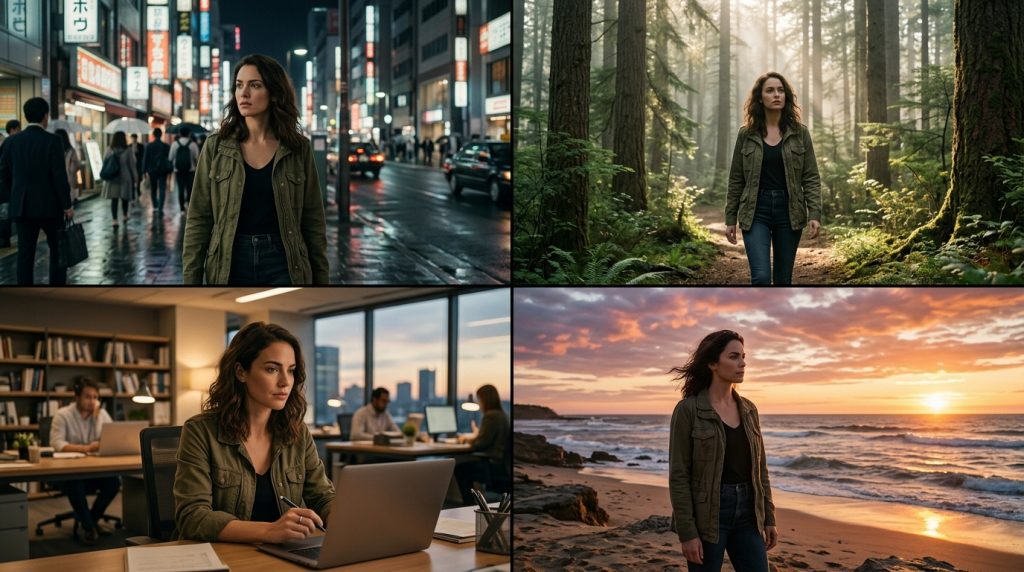
Step 1: Generate a ‘character sheet’ — a reference image showing your character from multiple angles (front, side, three-quarter) in neutral lighting against a simple background. This becomes your anchor image.
Step 2: For each new scene, use the character reference parameter with a weight of 80–100% to maintain appearance while allowing the scene and lighting to vary. Lower the weight slightly (60–70%) when you need significant costume or environment changes.
Step 3: After generation, check for the three consistency indicators: facial structure, hair characteristics, and any distinctive features. These are the elements most likely to drift across generations.
Avoiding the Three Most Common Consistency Failures
| Failure Type | What Happens | Solution |
| Face drift | Character looks different each scene | Use –cref with weight 90%+ |
| Costume change | Clothes shift color or style | Specify exact clothing in every prompt |
| Age variation | Character appears younger/older | Include age in every prompt explicitly |
| Lighting destroys features | Character unrecognizable in dark scenes | Keep at least 30% ambient fill light |
Frequently Asked Questions (FAQ)
Can I create a consistent character across different AI tools?
Yes, by using the same reference image across tools. Export your best character sheet from Midjourney and use it as a reference in Runway, Leonardo, or Freepik. The visual anchor works across platforms.
How many reference images do I need for strong consistency?
One high-quality reference image is sufficient if it shows clear facial features in good lighting. Three images (front, side, three-quarter view) provide better results for complex scenarios.
Does character consistency work for AI video as well as images?
Yes. Runway Gen-4 and Kling 2.0 both support character reference images for video generation. Consistency is harder to maintain across multiple clips but is significantly better than prompt-only approaches.
Can I create fictional characters or only use real people?
You can create entirely fictional characters using AI-generated reference images. Using real people’s likenesses requires consent and may violate platform terms of service depending on the use case.